


Setting up a stage lighting system requires more than mounting fixtures and turning on a console. A single incorrect cable can ruin an entire show. Audiences expect flawless visual experiences every time the curtain rises. For venues, production teams, and system integrators, a successful deployment hinges on stable power infrastructure, secure data routing, and strategic fixture placement. Electrical misconfigurations and poorly routed data lines remain the leading causes of blown budgets and sudden equipment failure. You must navigate these technical realities carefully to protect both your hardware and your performers. This guide breaks down the technical workflows and hardware evaluation criteria you need. We explore power segregation, strict data network rules, and geometric placement models. You will learn how to build a scalable, reliable rig without introducing safety liabilities or hardware damage.
Power segregation is critical: Mixing traditional dimmers with modern LED fixtures will cause immediate hardware failure; rigorous power mapping is the first step of any setup.
Infrastructure dictates scalability: Implementing strict DMX daisy-chain rules (maximum 32 fixtures, mandatory terminators) prevents mid-show signal failures.
Safety compliance is non-negotiable: Proper rigging hardware, safety cables, and adherence to photosensitivity limits (e.g., sub-4Hz strobing) mitigate liability.
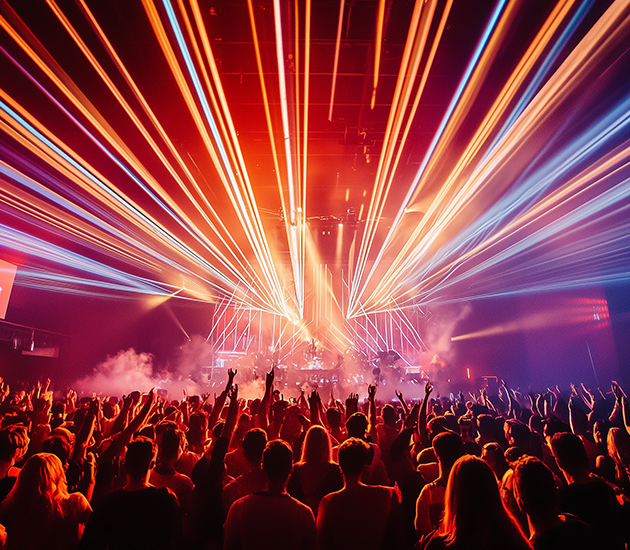
Electrical misconfiguration causes immense financial loss in new stage setups. Blown fixtures and blown budgets usually stem from a misunderstanding of basic power delivery. Before you hang a single light, you must establish a clear map of your venue's electrical capacity.
You cannot treat all power sources equally. The industry uses two distinct power delivery methods. Mixing them destroys equipment instantly.
Power Type | Compatible Fixtures | How It Works | Critical Risk |
|---|---|---|---|
Dimmer Power | Traditional Halogen / Tungsten | Alters voltage to control brightness. | Destroys internal circuitry of modern LEDs. |
Switched Power | LEDs, Moving Heads, Lasers | Provides constant, unvarying mains voltage. | Traditional bulbs cannot dim on this circuit. |
Common Mistake: Plugging an LED fixture into a dimmer circuit is a fatal error. The fluctuating voltage destroys the LED's internal power supply immediately. You must label every circuit in your venue clearly to prevent this.
When installing Professional Stage Lighting, you must evaluate overhead rigging meticulously. Gravitational forces do not forgive sloppy hardware installations.
Rigging Standards: Secure all overhead equipment using rated lighting clamps. Attach them strictly to scheduled steel pipes or engineered aluminum trussing. Never use consumer-grade hardware.
Failsafes: Every elevated fixture mandates an independent safety cable. Loop it around the primary truss, bypassing the mounting clamp entirely. If the primary clamp fails, the safety cable catches the unit.
Hazard Mitigation: Identify weight load limits early. Ground-supported stands have different tipping thresholds compared to flown rigs. Calculate the total weight of automated fixtures before finalizing your purchase.
Setting up communication between the control console and the fixtures requires a standardized digital network. The industry standard is DMX-512A. This protocol translates your creative decisions into digital packets. If the network is unstable, your lights will behave erratically.
You must follow strict architectural rules when building a DMX network. The EIA-485 standard governs these data limits.
Daisy-Chaining Protocol: Connect fixtures sequentially from the console output. You route the cable from the first fixture's output into the second fixture's input. Never exceed 32 fixtures on a single chain. If you need more units, introduce an active DMX splitter to amplify the signal.
Signal Reflection Prevention: You must plug a DMX terminator into the final fixture’s output port. This 120-ohm resistor stops the digital signal from bouncing back down the cable. Signal bounce causes random flickering and loss of control.
Cabling Specifications: Use dedicated 3-pin or 5-pin DMX cables. Do not use standard audio microphone cables. Microphone cables possess the wrong impedance (usually 75 ohms instead of 120 ohms) and will corrupt data streams over long distances.
Patching connects the physical world to your digital control surface. We divide this into two distinct phases.
Hard patching involves physically assigning fixtures to distinct power circuits. You plug cables into specific dimmer or relay channels. Soft patching happens inside the console. You map the physical DMX address to a logical control channel. For example, you might map a complex 10-channel moving head to "Channel 1." This logic allows operators to grab "Channel 1" quickly without memorizing complex DMX address blocks.
You must match fixture capabilities to the physical limitations of your space. Overbuying powerful beam lights for a tiny room wastes money. Analyze the venue constraints first.
Many venues restrict atmospheric effects. If venue management prohibits fog or haze, airborne particles disappear. Beam fixtures rely heavily on these particles to become visible. In no-haze environments, invest heavily in wash lights (PARs) and spot fixtures (ERS/Profiles). These focus on surface illumination rather than mid-air geometry.
Micro-venues and low ceilings present another challenge. Prioritize LED PARs here. They emit low heat and draw minimal power. Utilize four-corner side-lighting. This technique creates optical depth in remarkably shallow spaces.
You can optimize your Stage Lighting by analyzing the venue using geometric models. We call this the N-Point Framework.
Light Position | Geometric Angle | Primary Purpose | Key Considerations |
|---|---|---|---|
Front Light (Visibility) | 45° off-axis, 45° downward | Eliminates unnatural facial shadows. | Maintain 3200K (warm white) for natural skin tones. |
Backlight (Depth) | 30°–40° upward, 60°–70° off-axis | Creates 3D separation from the backdrop. | Angle it steeply enough to avoid blinding the audience. |
4th Point Fill (Video) | Directly frontal, on-axis | Erases harsh shadows for cameras. | Essential if the event is being broadcast or recorded. |
Best Practice: Always start with the front light. Establish clear visibility first, then add the backlight to carve out the performer's silhouette. Add color washes only after securing these foundational layers.
System sign-off demands rigorous testing. You cannot wait until the dress rehearsal to discover blinding glare or muddy colors.
Walk the venue during your pre-flight checks. Conduct focal point testing. Verify primary performance zones stand out clearly. Structural elements like trussing, cable runs, and backstage areas must remain intentionally de-emphasized. A well-lit stage guides the audience's eyes naturally.
Next, perform color conflict checks. Multiple deep color washes easily blend into an ugly, muddy white if not managed. Stick to complementary colors on the color wheel. Alternatively, use a single saturated background color paired against clean, warm front lighting.
Visual effects carry inherent physical risks. You must configure safety limits before opening the doors.
Photosensitivity Limits: Strobes and blinders can trigger photosensitive epilepsy. Hard-limit your flash rate to a maximum of 4 Hz (four flashes per second) to mitigate this risk. You must post mandatory warning signs at all venue entrances.
Laser Positioning: Ensure operators physically lock off all Class 3B or Class 4 laser fixtures. Following IEC 60825-1 guidelines, these beams must never terminate in the audience zone. Retinal damage occurs instantly upon direct exposure.
Learning how to set up stage lighting is fundamentally an exercise in infrastructure planning. The difference between an amateur setup and a professional deployment lies entirely in the preparation. Rigorous power segregation prevents catastrophic hardware failure. Stable DMX networking ensures your creative programming translates flawlessly to the stage. Mathematical fixture placement guarantees high visual impact without wasting inventory.
To succeed on your next build, follow these exact next steps. First, define your venue constraints upfront. Map your power availability and identify certified rigging points. Second, lock in your DMX addressing scheme on paper before hanging the lights. Third, set hard safety limits on strobes and lasers. By respecting these technical boundaries, buyers can bypass incompatible hardware and build a scalable, high-ROI lighting ecosystem. For complex installations involving multiple DMX universes, consult a specialized AVL integrator to validate your schematics prior to procurement.
A: Dimmers alter voltage to control the brightness of traditional incandescent/tungsten bulbs. Switched power provides a constant, unvarying electrical current required by the internal circuitry of modern LED fixtures and moving heads.
A: This is almost always a data network issue. Ensure you use dedicated DMX cables instead of audio XLRs. Confirm your daisy chain does not exceed 32 fixtures. Verify you installed a DMX terminator on the final fixture.
A: A highly effective minimalist setup requires only 3 to 4 fixtures. You need two front wash lights positioned at 45-degree angles for visibility, one backlight to create depth, and an optional background wash for mood.
A: Patching is the process of assigning a fixture's physical DMX address to a logical channel on your lighting console. This allows operators to control "Channel 1" instead of remembering the spotlight uses DMX Address 114.


